
Two Homes.
One Stronger Future.
Helping families navigate co-parenting, build healthy routines, and raise emotionally confident children.
Neither label means a primary parent. Both homes are home.

Two Homes Together for iPhone & iPad
Co-parenting made simpler.
This week, 2-2-3 rotation
Both parents see the same week, the same swaps and the same handover times.
- Download
- Free
- Trial
- 1 month
- Printables
- 13
The app
One shared record, on both parents’ phones
Two linked parents, one set of facts. The schedule, the swaps, the money and the children’s details all live in the same place — so neither home is working from memory or from a screenshot.
iOS 17.0 or later · iPhone and iPad · iOS only, no Android or web version
22 features are documented on the app page, each one verified against the shipped version.
Custody schedule setup
Choose a rotation — week on / week off, 2-2-3, 2-2-5-5, 3-3-4-4, 3-4-4-3, every other weekend, or Friday-to-Friday — then set the start date and which parent begins.
Set it once and the calendar fills itself in, for both parents.
Swap requests
Ask to swap a day. Your co-parent approves or declines in the app, approved swaps update the calendar for both homes, and every request is kept in a history view.
Change a day without a twenty-message text thread.
Shared expenses with approval
Log an expense with a category, a split percentage and a photo of the receipt. The other parent approves or rejects it, and a rejection requires a reason. Every expense is pending, approved, paid or rejected.
No more disputing a cost months later — it was agreed or it was not.
Messaging with an automatic audit trail
One thread per co-parent pair. Messages carry server timestamps and cannot be edited after they are sent. The app also posts system messages automatically when an expense is requested, approved or rejected, and when a payment is marked paid.
The record writes itself, so neither parent has to keep score.
Reports you can email to an attorney
Four CSV reports — custody days, payments (child support, alimony and expenses, with a summary), the incident log and the message log — filtered by date range and shared via the share sheet or emailed directly.
Hand a mediator or attorney a clean export instead of screenshots.
Child documents
Upload photos or PDFs per child — birth certificate, passport, medical, insurance, school, immunisation records and more. Both parents can view, share or delete them, and the other parent is notified.
The insurance card is in both homes, even when the card is not.


A look at the actual app
See all ten screens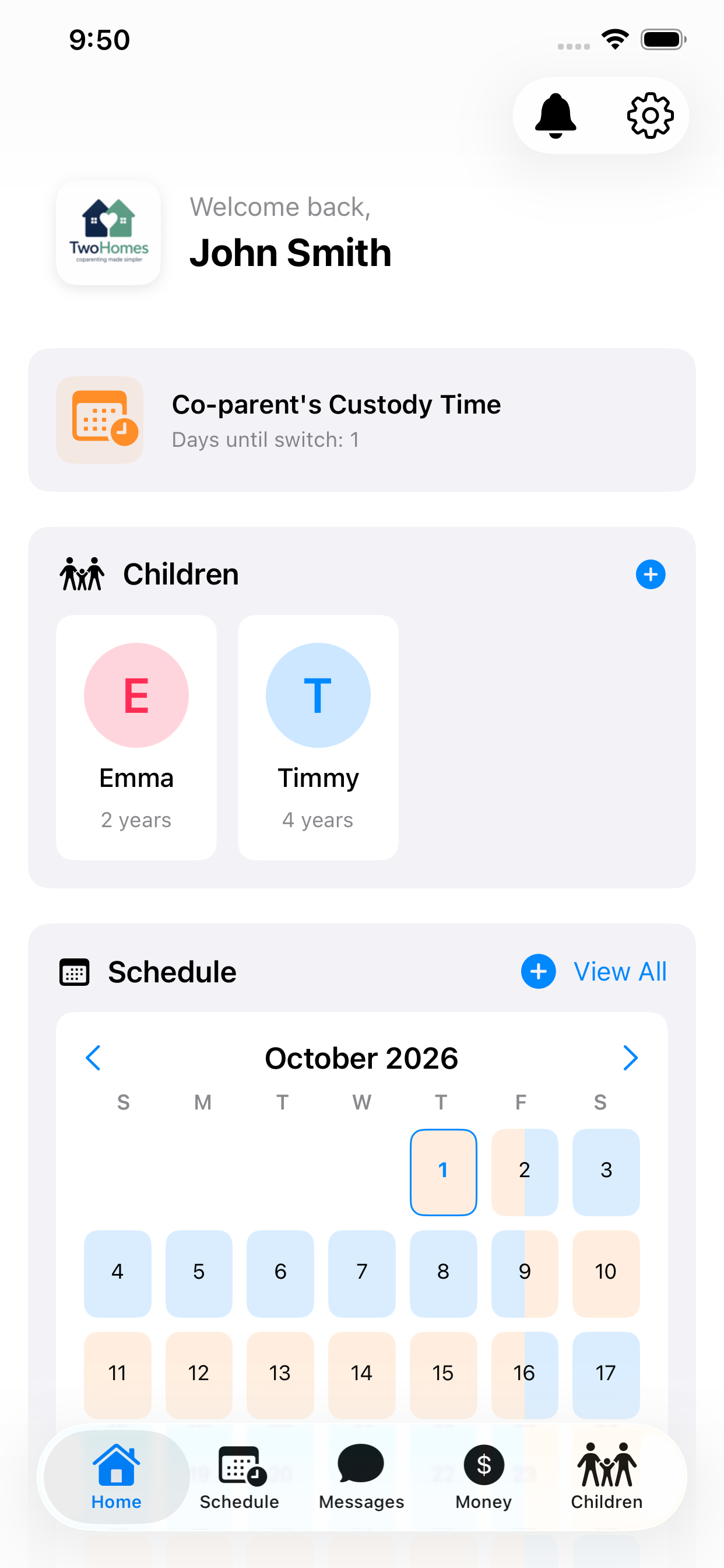
Home 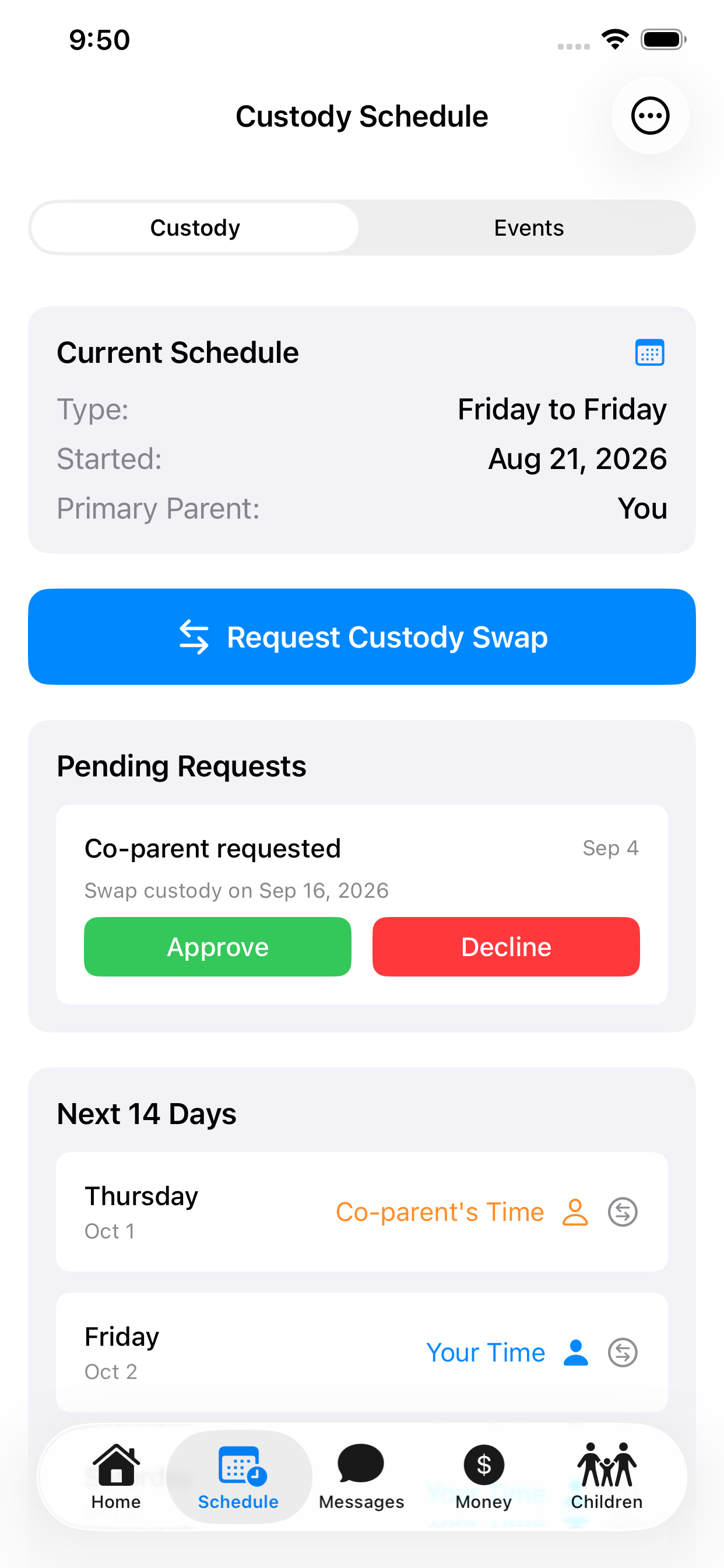
Custody schedule 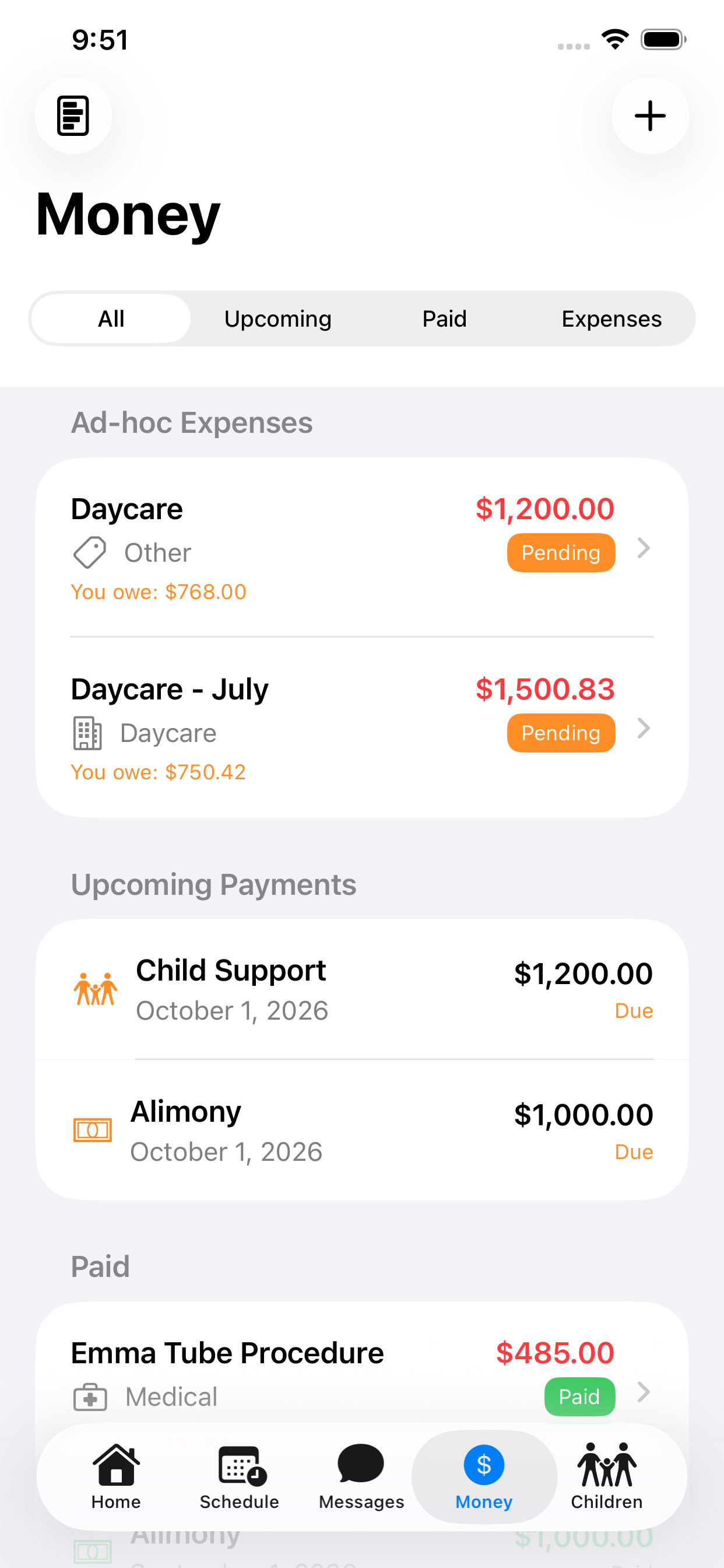
Money
Screenshots from the App Store listing. Names and amounts shown are sample data.
Printable resources
Planners, trackers and workbooks you can print tonight
Custody calendars, parenting planners, family organization tools and children’s emotional literacy resources — designed alongside the app and checked page by page.
For Parents
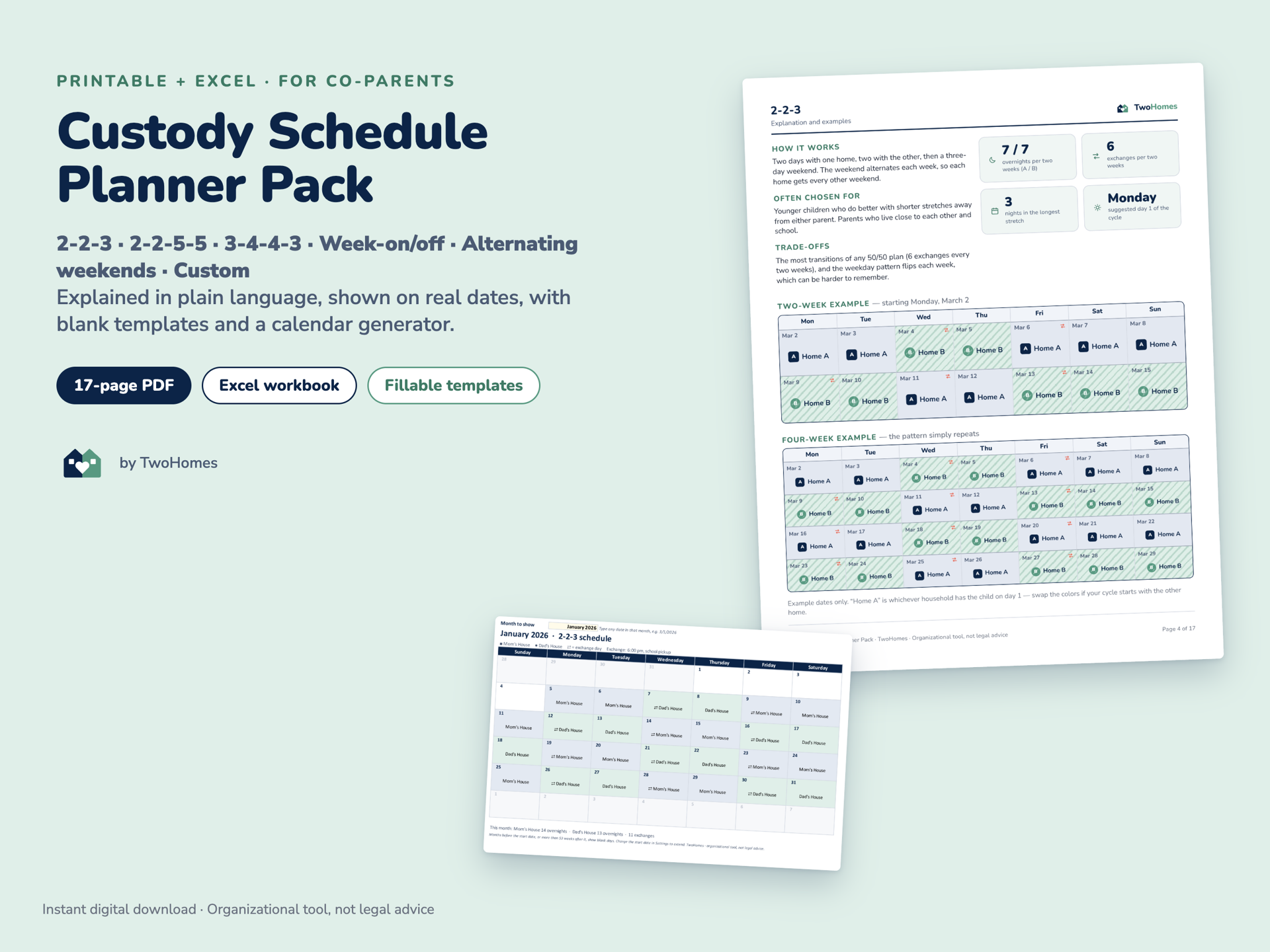
Custody Schedule Planner Pack
Six custody rotations explained in plain language, with two- and four-week examples, blank templates and an Excel calendar builder.
- Fillable PDF
- Excel
$9.99View details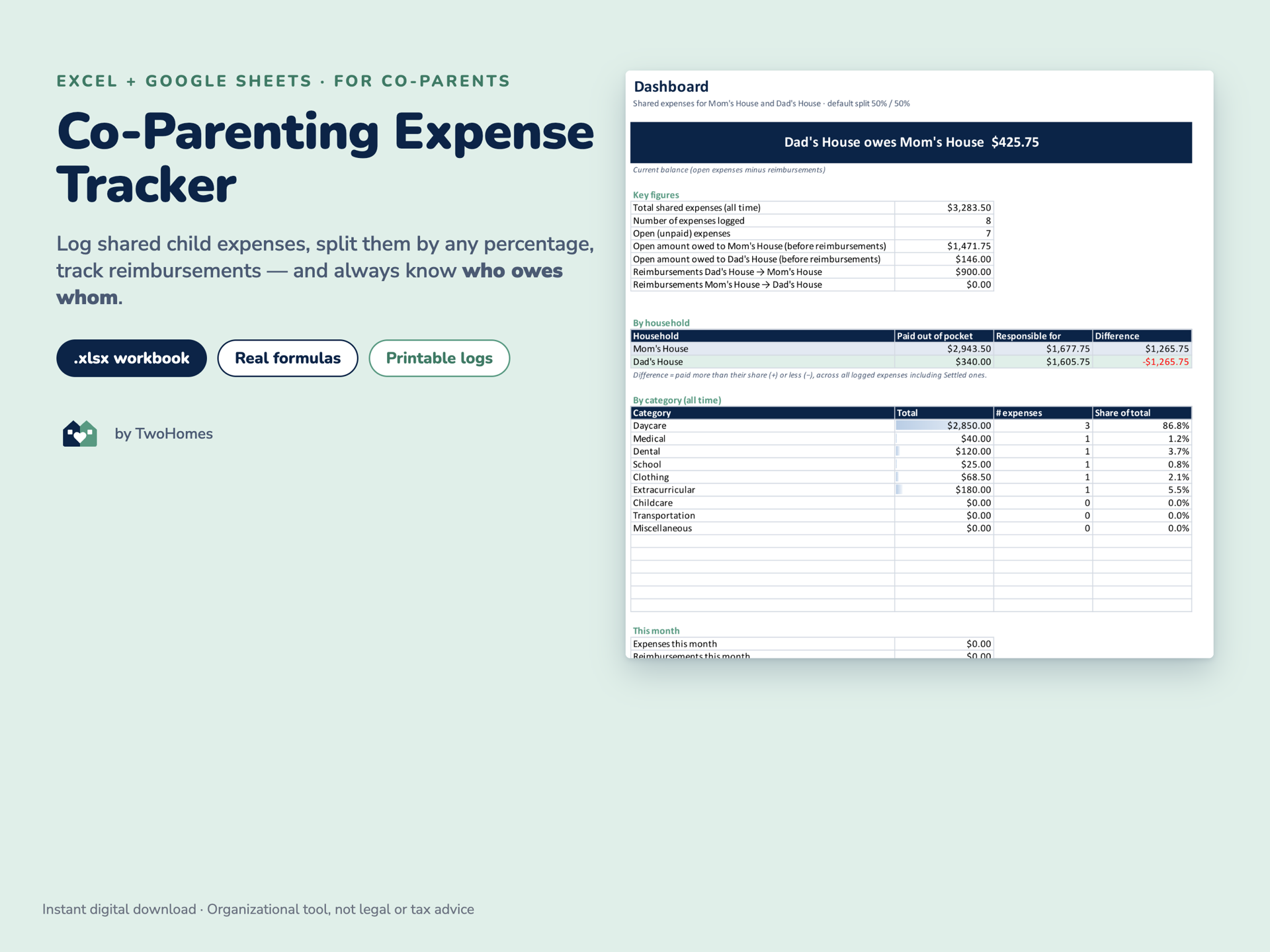
For Parents
Co-Parenting Expense Tracker
An Excel workbook that tracks shared child expenses, any split percentage and reimbursements, and tells you who owes whom in plain words.
- Excel
- Fillable PDF
$6.99View details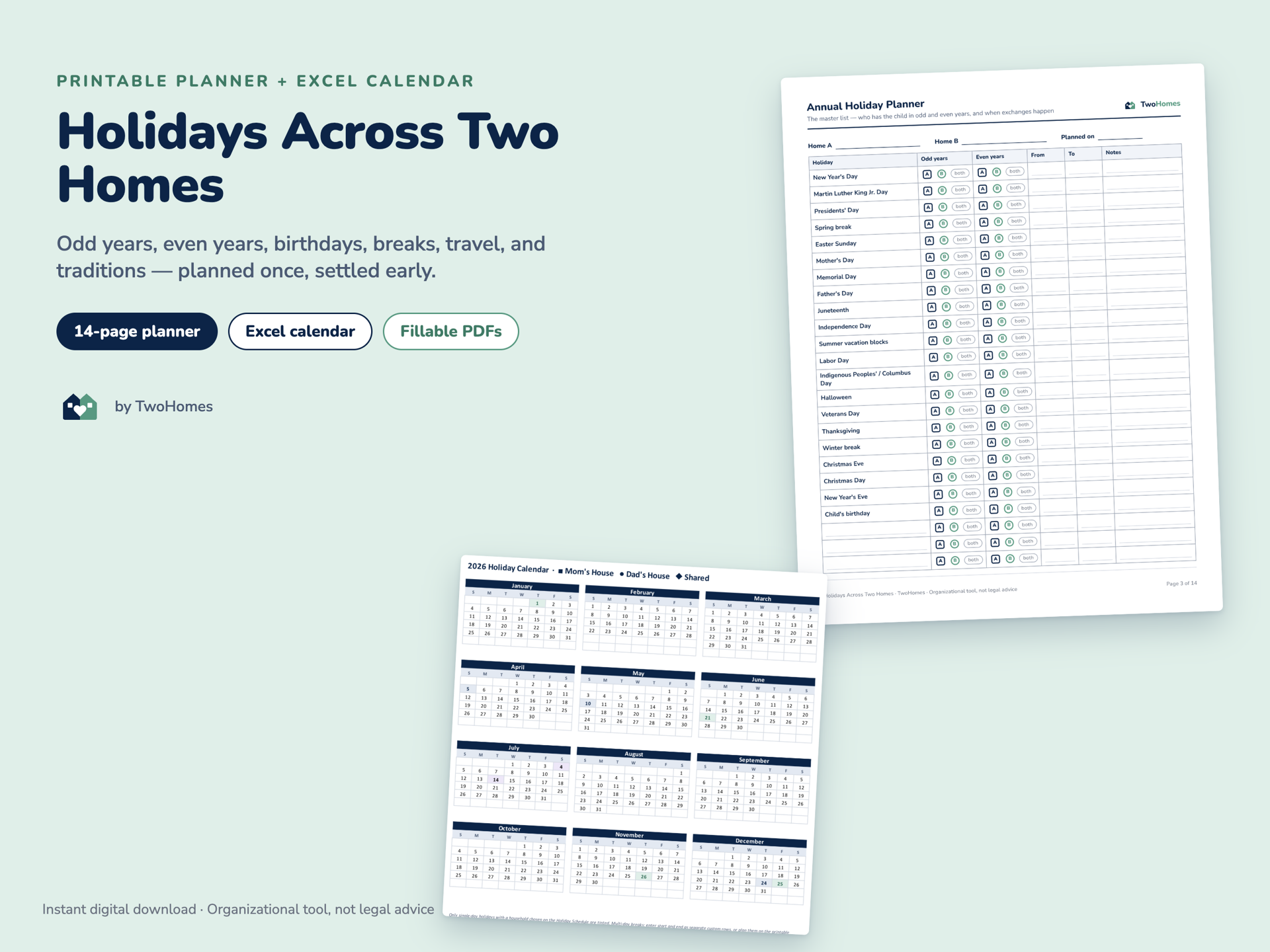
For Parents
Holidays Across Two Homes
An annual holiday planner with odd/even-year schedules, worksheets for every big holiday, and an Excel calendar that dates 20 holidays for any year.
- Excel
- Fillable PDF
$7.99View details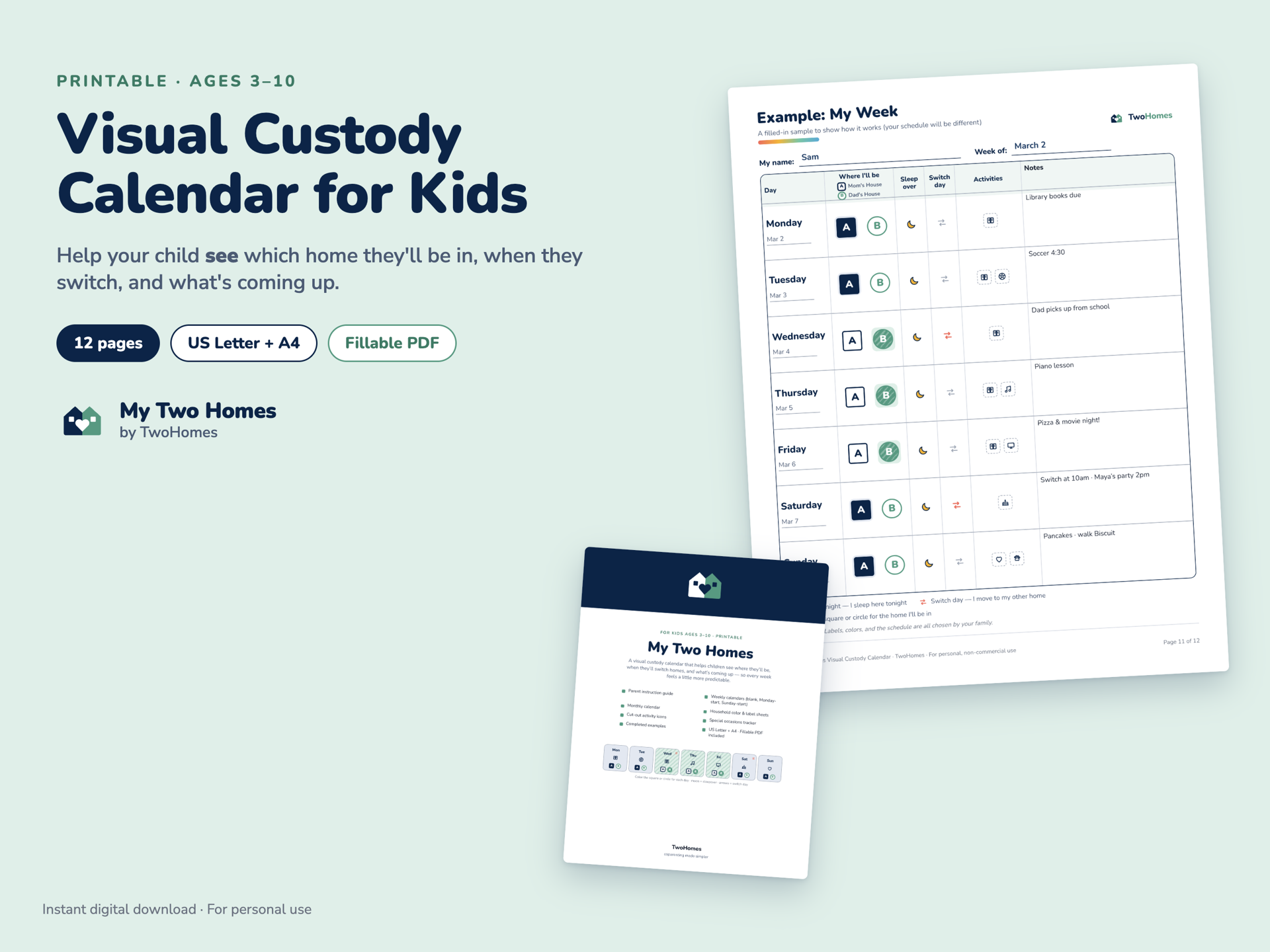
For Kids
My Two Homes Visual Custody Calendar
A twelve-page printable calendar kit a child colors in themselves — weekly and monthly pages, household labels, door signs and cut-out activity icons.
- Fillable PDF
$7.99View details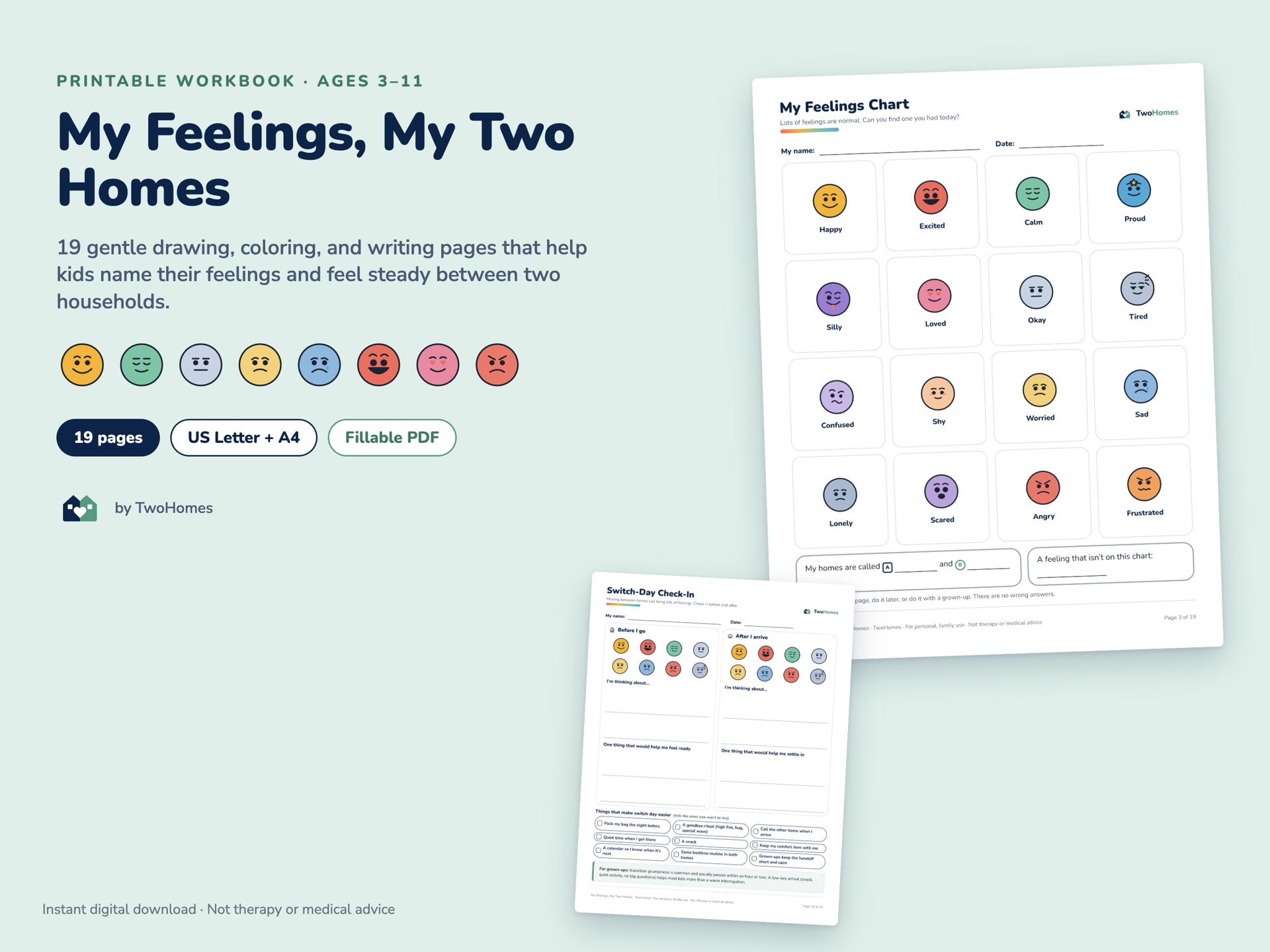
Little Feelings
My Feelings, My Two Homes
Nineteen drawing, coloring and writing pages that help a child name what they feel — with a sixteen-face feelings chart and a twelve-tool calm-down toolbox.
- Fillable PDF
$6.99View details Bundle
Bundles
Parent Essentials Bundle
All four parent products — schedule planner, expense tracker, communication journal and holiday planner — in one bundle.
- Fillable PDF
- Excel
$19.99View details
Every paid product includes US Letter and A4 PDFs, fillable versions, and a Start Here sheet. Products still in development are labeled Coming soon and cannot be bought.
Little Feelings
Big Feelings. Little Humans. Real Conversations.
Helping children recognize their emotions, express themselves confidently, and develop healthy communication skills.
happy sad angry worried calm excited lonely proud


Little Feelings resources work for any family, whether or not there are two homes. They start from a simple idea: every feeling is valid, children can feel more than one thing at once, and nobody should be ashamed of what they feel.
- Sixteen original feelings faces that work in color and in grayscale
- Check-ins, a calm-down toolbox and conversation starters for grown-ups
- “You can skip any page” is printed on the pages themselves
Free, right now
Try a printable before you buy anything
Two single-page downloads, no email address and no account. If they help, the full versions are waiting in the shop.
- Get it free
Free Weekly Custody Calendar
One page. One week. No cost.
- Get it free
Free Switch-Day Checklist
Twelve things, pictures and words
Why we exist
Families deserve better tools. Children deserve to feel supported.
Two Homes Together exists to make family transitions easier and to help children feel understood and connected. The logistics of co-parenting take real work — schedules, money, handovers, school forms — and that work usually lands on people who are already tired.
So we build two things. An app that keeps both homes looking at the same record, and printable resources for the parts that happen away from a screen: the calendar on the fridge, the bag by the door, the conversation at bedtime.
Everything we publish is written to be neutral. Home A and Home B, never a better home and a worse one. Grown-up problems stay with the grown-ups.
Honest about what the app costs
Honest about what these tools are
Honest about what we don’t have
Two homes. One steady life.
Start with the app, or start with a printable. Either way, the next week gets easier to see.
Or take a free printable first — no email address needed.